01Leads
One Leads list with round-robin routing
Leads from every source — web forms, ads, and any tool that can send a webhook — land in one list and are assigned round-robin within a branch, with an activity log on each lead.
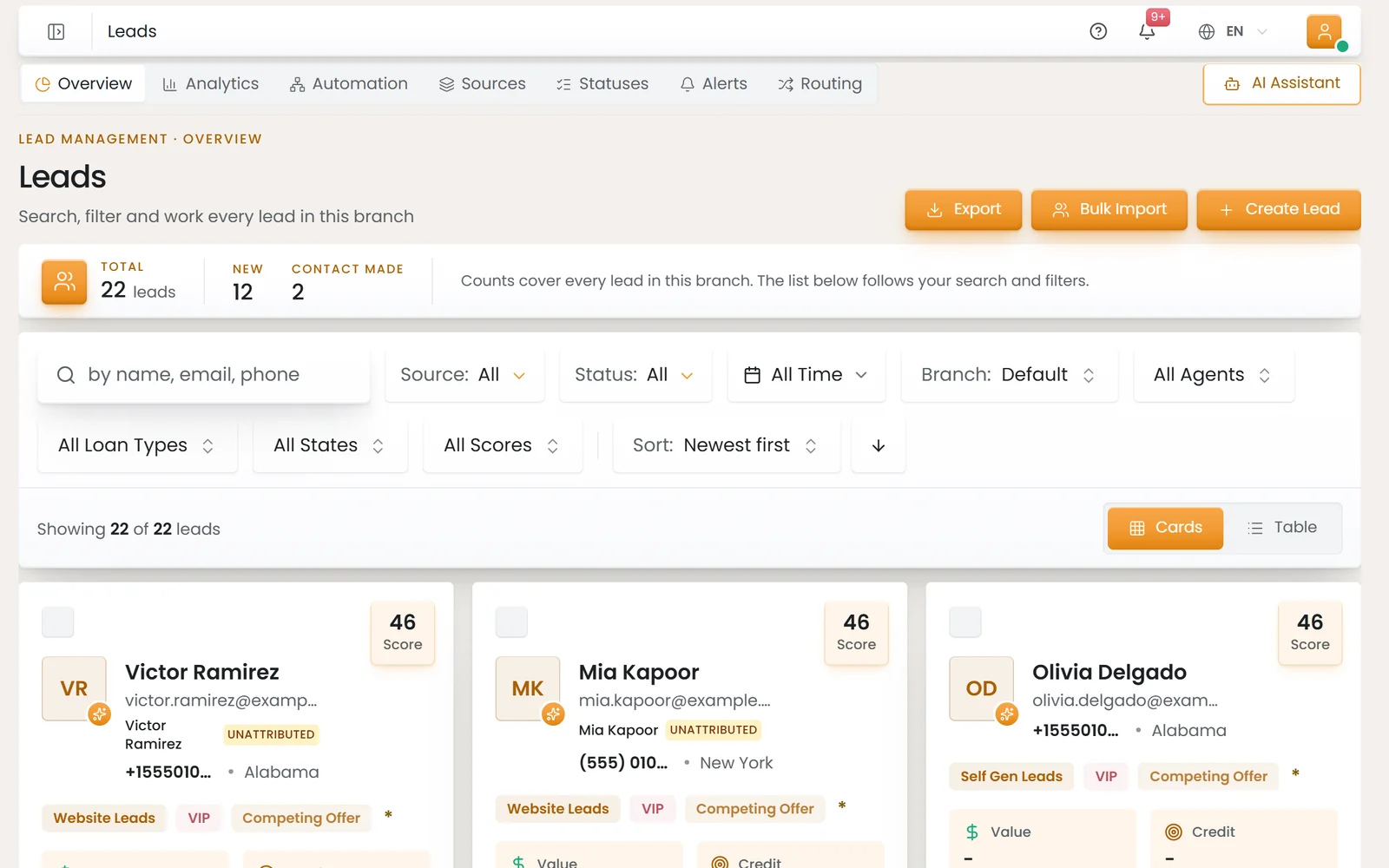
Give every rep one Leads list with round-robin routing and a lead score, a pipeline where each stage can send its own text, email, or voicemail drop, and texting and email in the same place — with AI Voice as a paid add-on when you want an AI agent on the phone.
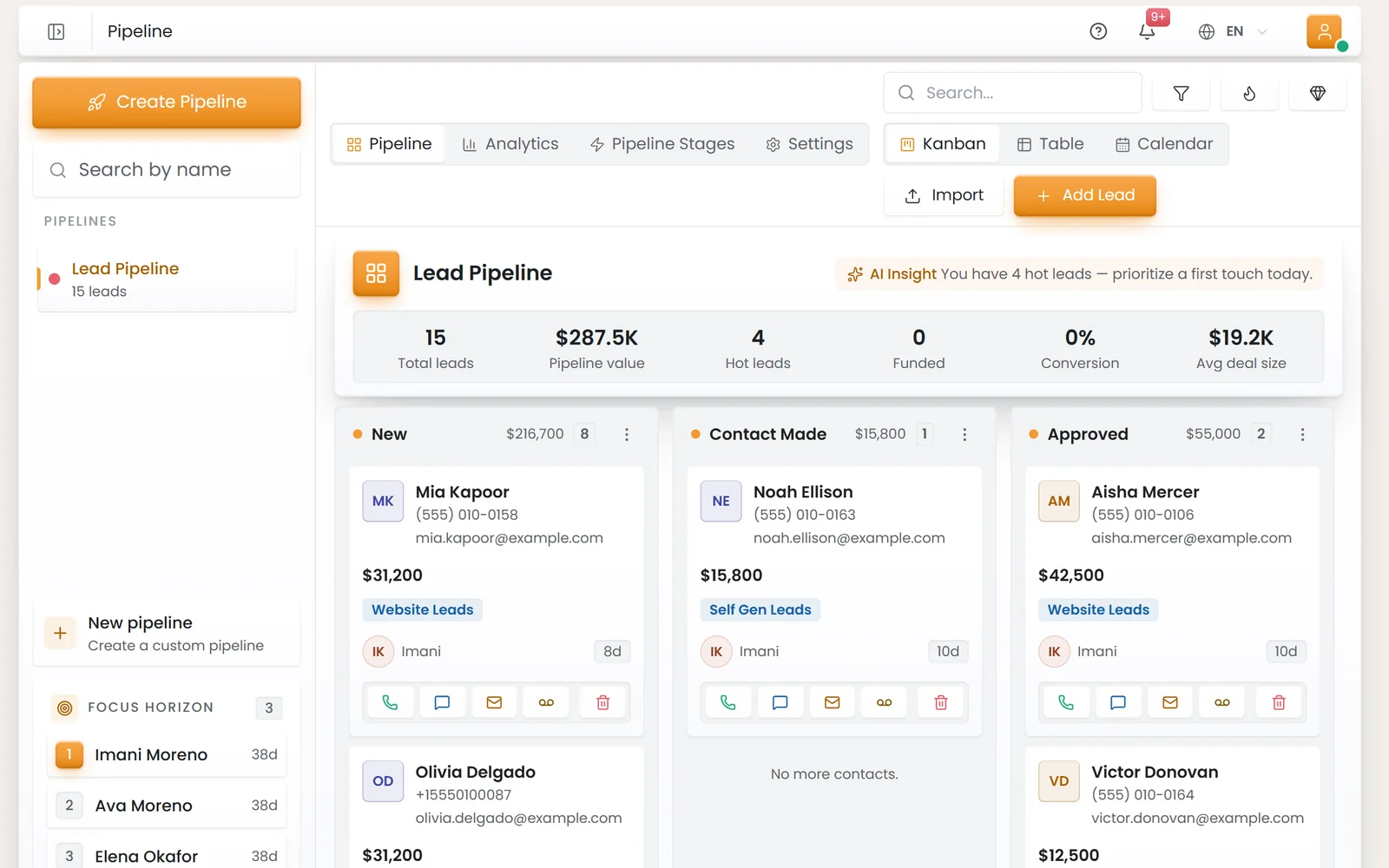
A CRM for sales teams is software that gives every rep one shared place to track leads, deals and pipeline stages, keep a history of each conversation, and automate follow-up — so deals move forward instead of slipping through the cracks. The catch with many CRMs is that they only stay accurate if reps type in what happened after every touch, and the pipeline drifts out of date when they don’t.
MapleConnect cuts down that admin. New leads land in one Leads list and are assigned round-robin within a branch, and each lead gets a built-in score out of 100. Emails, texts, and voicemail drops sent from MapleConnect are logged on the lead’s activity log automatically. Each pipeline stage can send an email, text, or voicemail drop when a lead enters it, leads that sit in a stage too long are marked, and the board shows a weighted pipeline value. The paid AI Voice add-on can place and answer calls, with every call recorded, transcribed, and summarized.
Plans start at $99 per month, pipeline, campaigns, and automations come with every plan, and the plans are sized by seats: 5 on Professional, 10 on Team, and more than 10 on Enterprise. Roles control what each rep can see and edit — their own records or the whole branch — and you can start with a 14-day free trial.
Sending the same follow-up email, chasing reminders, and updating spreadsheets eat hours your reps should spend with prospects.
When updates depend on rep discipline, stages go stale and next steps vanish. Managers chase reps for updates instead of coaching them.
A new lead that waits hours for a first touch is often already gone. Manual, inconsistent follow-up means warm inbound interest cools off while reps are heads-down on something else.
Forms and ads pour in, but nobody scores or assigns them, so reps waste time on poor fits while strong leads sit in a queue.
A standalone CRM, an email sequencer, an SMS app and a scheduler — each a separate login, and none of them share a history.
01Leads
Leads from every source — web forms, ads, and any tool that can send a webhook — land in one list and are assigned round-robin within a branch, with an activity log on each lead.
02AI Voice
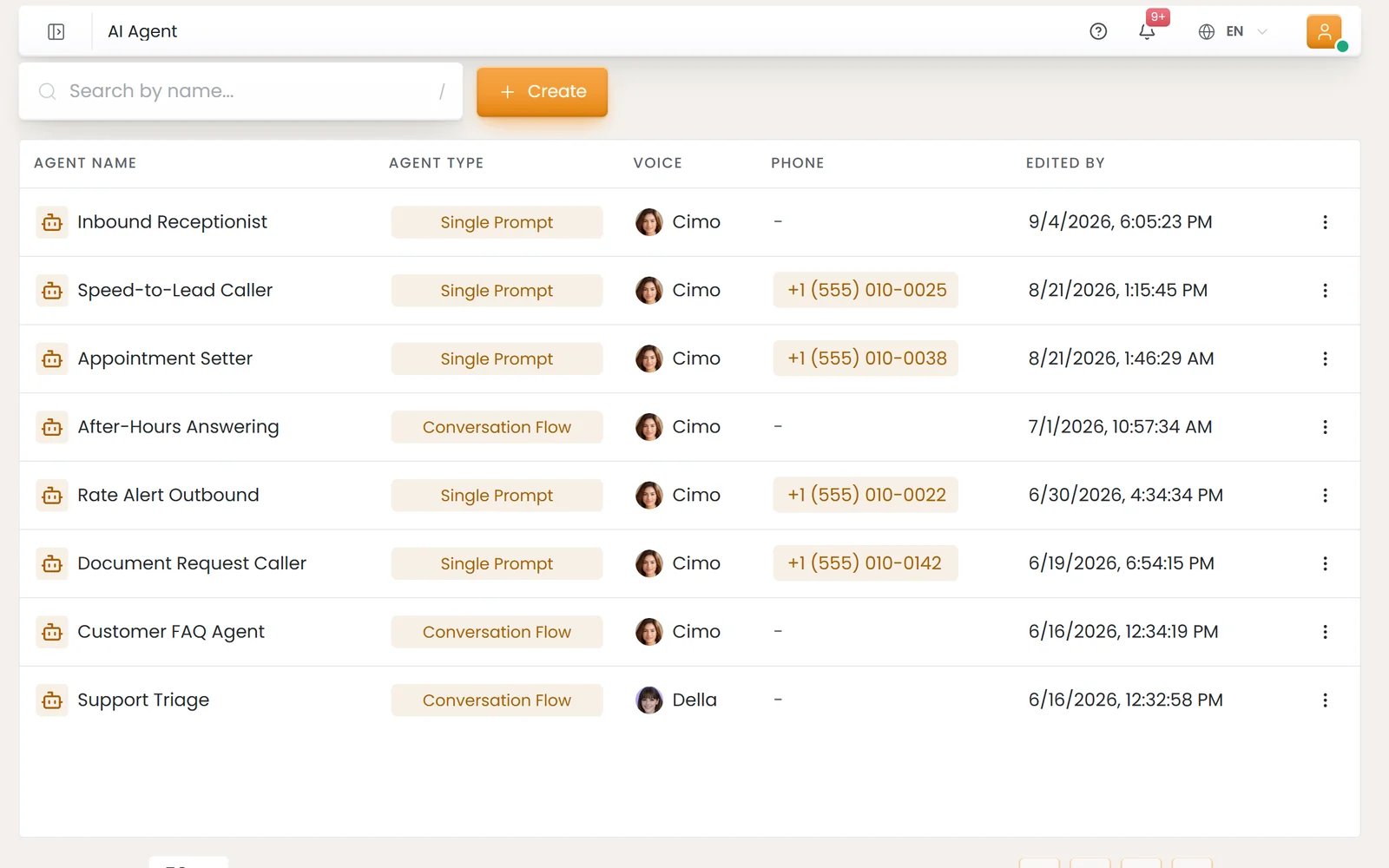
A paid add-on. The AI voice agent can call new leads from the Leads list or an automation step, answer inbound calls, ask your questions, and book meetings through Cal.com. Calls are recorded, transcribed, and summarized in the AI Voice call history.
Each lead gets a score out of 100 from fixed rules based on the details on the lead record, so reps can see at a glance which leads to work first. It is rules-based, not a predictive AI model.
Each pipeline stage can send an email, text, or voicemail drop when a lead enters it, and leads that sit in a stage too long are marked so they don’t go quiet unnoticed.
Drag-and-drop stages give the team a live view of every open deal, with a weighted pipeline value.
Two-way texting, email, and booking pages sit in the same CRM, so a rep can text, email, or send a booking link without switching tools.
Many sales teams stitch together several tools to do what one CRM can. Here’s what MapleConnect can take over.
The stack today
Inside MapleConnect
With routing, stage-entry follow-up, and logging of sent messages handled by the system, your team spends more of its day on conversations and closing.
Stale-lead markers and a weighted pipeline value show which deals need attention, instead of leaving it to rep memory.
New leads are assigned round-robin the moment they arrive, and an automation can text and email them within seconds.
Texting, email, booking, and the CRM live together, so there’s one login and fewer places for data to fall between apps.
Roles set per-module view, create, edit, and delete rights, and whether each rep sees only their own records or the whole branch.
Bring in your existing leads from CSV or Excel (duplicates are flagged) and set up your pipeline stages the way your team already sells.
Give each lead source its own webhook and turn on round-robin assignment within your branch, so new leads reach a rep right away.
Choose the email, text, or voicemail drop each stage sends, and build automations for the rest.
Add the paid AI Voice add-on to have an AI agent call new leads or answer inbound calls and book meetings through Cal.com.
Questions before you start? Call or message our team.
Call a human(480) 650-9911Cancel anytime · 14-day free trial
It’s software that gives a sales team one shared place to manage leads, deals and pipeline stages, keep a history of each conversation, and automate follow-up so opportunities don’t slip. MapleConnect adds round-robin routing, a built-in lead score, and stage-entry follow-up.
Leads, contacts, texting, email, and booking in one CRM, with pipeline and automations on every plan and AI Voice as a paid add-on. Start with a 14-day free trial, no credit card.
Paid plans start at $99/mo. See pricing