01Email
Segmented email outreach
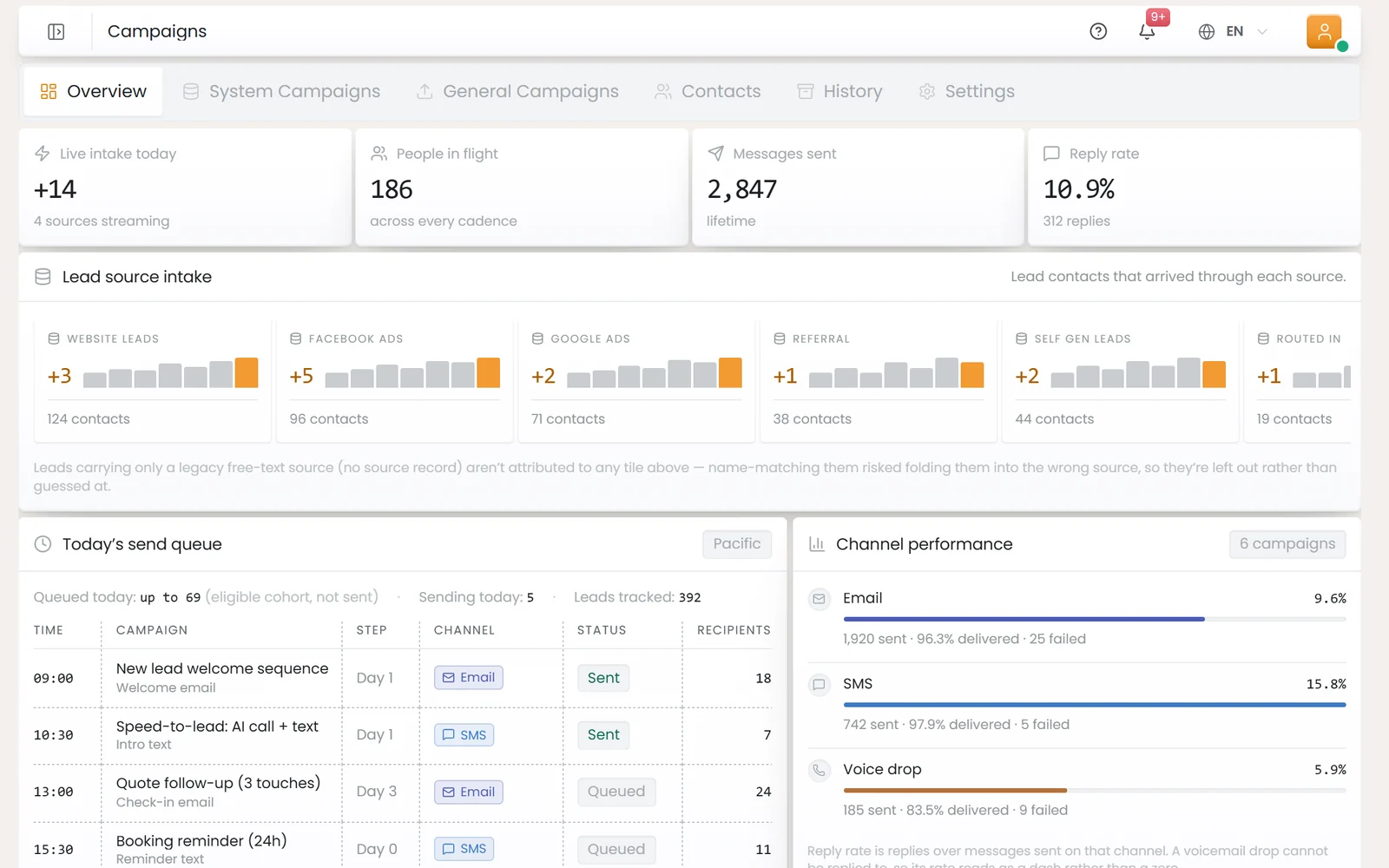
Use tags and lists (recurring supporters, lapsed contacts, event attendees, new members) to send email updates and drips. Email campaigns show open and click stats.
Keep every supporter in one contact list, send email and SMS updates, and take bookings for volunteer shifts and info sessions — in one platform, with AI Voice as a paid add-on if you want an AI agent on the phone. Try it free for 14 days.
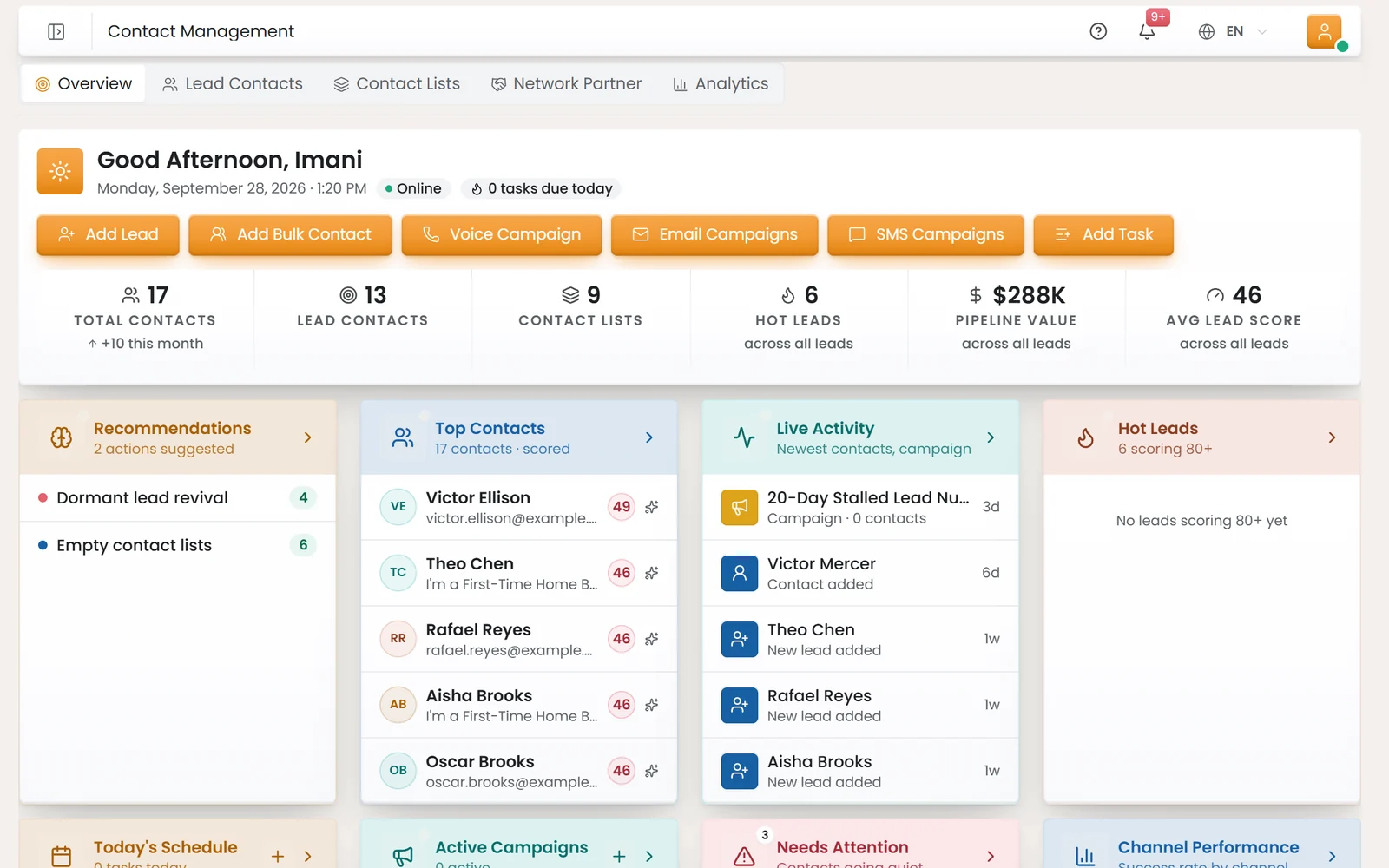
A nonprofit CRM is the system of record for the people who power your mission — donors, volunteers and members — so contacts, messages and sign-ups live in one place instead of across spreadsheets and disconnected tools. MapleConnect is a general all-in-one CRM that can do that job: one contact list with tags and lists, email and SMS outreach, booking pages for sessions and shifts, and — as a paid add-on — an AI voice agent that can answer inbound calls.
Here’s the honest part: MapleConnect is a general relationship-and-outreach CRM, not dedicated fundraising, donation-processing, accounting or grant-management software. It does not process donations or manage grants. What it does is help you organize supporters, reach them by email and text, and stop paying for several separate tools.
If your team is running on spreadsheets, a separate email tool, a scheduler and phone tag, this page shows how one CRM can take over that patchwork — and where you’d still want a specialist donation or grant tool alongside it.
Donor lists in one spreadsheet, the volunteer roster in another, members in a third — nobody has a single, current view of who supports your cause or how engaged they are.
Many tools are donor-only. The same person can be a recurring donor, an event volunteer and a member, but lives as three disconnected entries you can’t see together.
Sending the same email blast to everyone burns goodwill. Without easy segments and built-in SMS, personalized thank-yous, reminders and updates eat hours of staff time.
A small team can’t answer every inbound call about events, volunteering or membership. Calls go to voicemail, supporters give up, and momentum is lost.
Paying separately for a CRM, an email tool, a texting service, and a scheduler adds up quickly for a small team.
01Email
Use tags and lists (recurring supporters, lapsed contacts, event attendees, new members) to send email updates and drips. Email campaigns show open and click stats.
02Texting
Text event reminders, volunteer call-outs, and time-sensitive updates from the same platform. STOP replies opt a contact out automatically, and SMS campaigns show delivery, replies, and opt-outs.
Keep donors, volunteers, and members in one contact database with tags, lists, activity history, and custom fields, so your team can see the whole relationship.
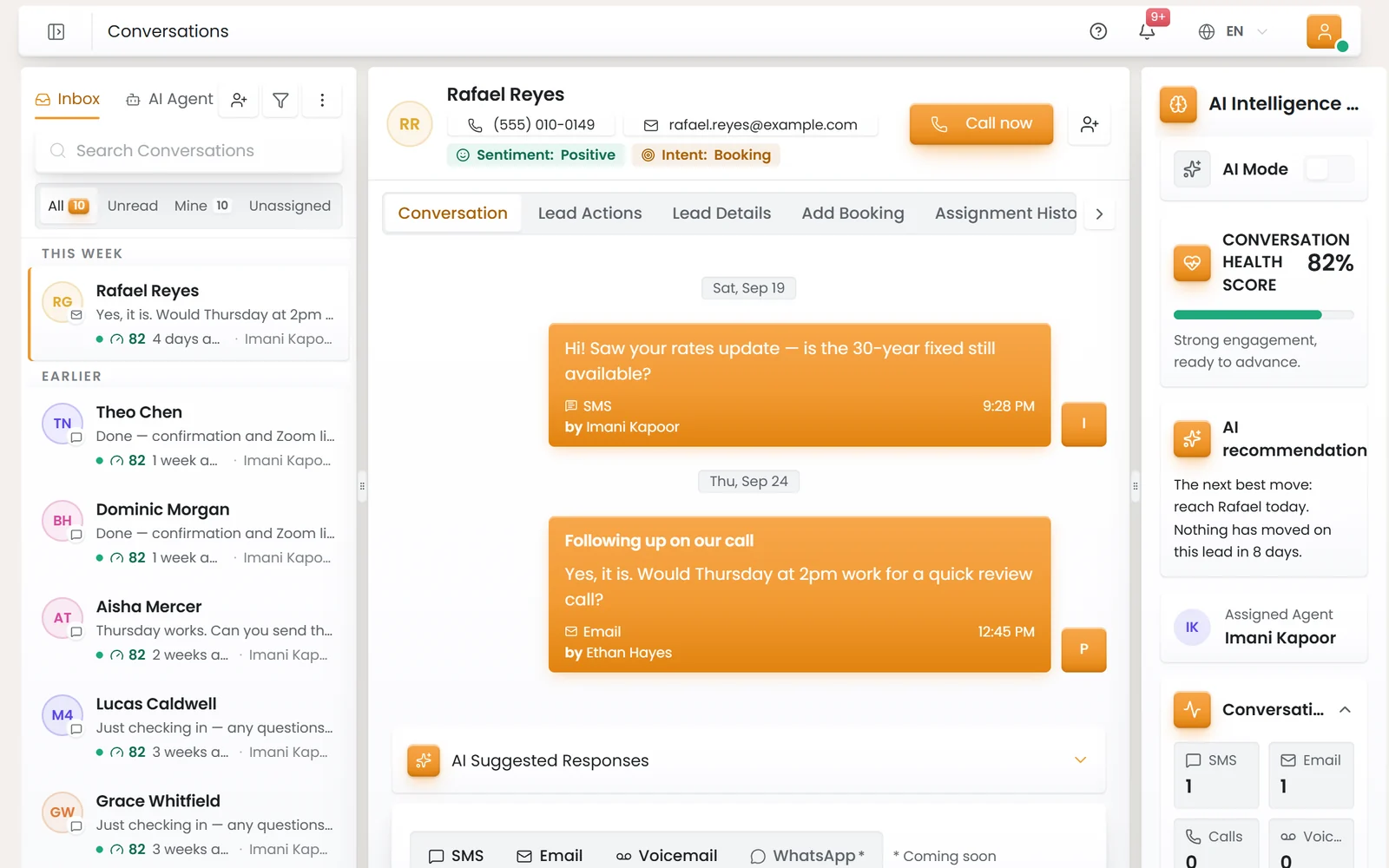
Let supporters book volunteer shifts, info sessions, tours, or meetings from a booking page, with confirmations and email and text reminders.
With the paid AI Voice add-on, an AI voice agent can answer inbound calls and capture the caller’s details; calls are recorded, transcribed, and summarized.
Give staff and volunteers role-based access — per module, and to their own records or the whole branch — and deactivate access when someone leaves.
Most nonprofits don’t need more tools — they need fewer. Here’s the typical stack MapleConnect can take over (donation processing and grant tools are left to specialists):
The stack today
Inside MapleConnect
Donors, volunteers and members in a single contact list means no more conflicting spreadsheets — and faster, more confident decisions about who to reach and how.
Tags and lists plus built-in email and SMS turn hours of manual messaging into a few clicks, so thank-yous, reminders and updates go out on time.
AI Mode can reply to inbound texts your small team can’t answer live, and the paid AI Voice add-on can take inbound calls.
Replacing a patchwork of separate apps with one platform cuts logins, exports and duplicate data entry — freeing staff to focus on the mission.
Published plans from $99 per month, with a 14-day free trial, so you can check the cost before you commit.
Bring donors, volunteers and members in from CSV or Excel, with duplicates flagged, and tag them so you keep your structure.
Tag and group supporters — recurring vs. one-time, active vs. lapsed volunteers, members by program — so your outreach is relevant from day one.
Send your first email or SMS to a tagged list, and publish a booking page for events, volunteer shifts or info sessions with reminders.
Turn on AI Mode to reply to inbound texts, and add the paid AI Voice add-on if you want an AI agent answering inbound calls.
Questions before you start? Call or message our team.
Call a human(480) 650-9911Cancel anytime · 14-day free trial
If you’re managing donors, volunteers or members in spreadsheets and sending updates by hand, a CRM saves time and prevents dropped relationships. As your supporter base grows, a single shared list becomes essential for consistent outreach. MapleConnect has a 14-day free trial, so you can try it with your own data before you pay.
Leads, contacts, texting, email, and booking in one CRM, with pipeline and automations on every plan and AI Voice as a paid add-on. Start with a 14-day free trial, no credit card.
Paid plans start at $99/mo. See pricing