What Is a CRM? A Plain-English Guide for 2026
A CRM is software that stores every customer interaction in one place so your team can sell, support, and grow without things slipping through the cracks. Here is how it works and whether you need one.

A CRM (customer relationship management) system is software that keeps every interaction your business has with customers and prospects in one shared place. Instead of scattering contacts across inboxes, spreadsheets, and sticky notes, a CRM gives sales, marketing, and support teams a single, up-to-date record of who each customer is, what they have bought, what they have asked for, and what should happen next.
The term has two layers. "CRM" can mean the strategy of managing customer relationships, but in everyday business it almost always refers to the tool: a system that captures contacts, tracks deals through a pipeline, logs emails and calls, automates follow-ups, and reports on what is working. The goal is simple and is the same whether you are a solo founder or a global enterprise, as Salesforce, IBM, and Oracle all put it in their own definitions: stronger relationships, smoother processes, and more revenue.
What does a CRM actually do day to day?
On a practical level, a CRM replaces a dozen disconnected habits with one workflow. Here is what most teams use it for:
- Contact and account management: a central database of every lead, customer, and company, with full history attached.
- Pipeline and deal tracking: a visual board showing where each opportunity sits, from first touch to closed-won, so nothing stalls silently.
- Activity logging: automatically capturing emails, calls, meetings, and notes against the right contact.
- Task and follow-up reminders: nudging reps to call back the warm lead before it goes cold.
- Automation: sending sequenced emails, assigning leads, and updating fields without manual work.
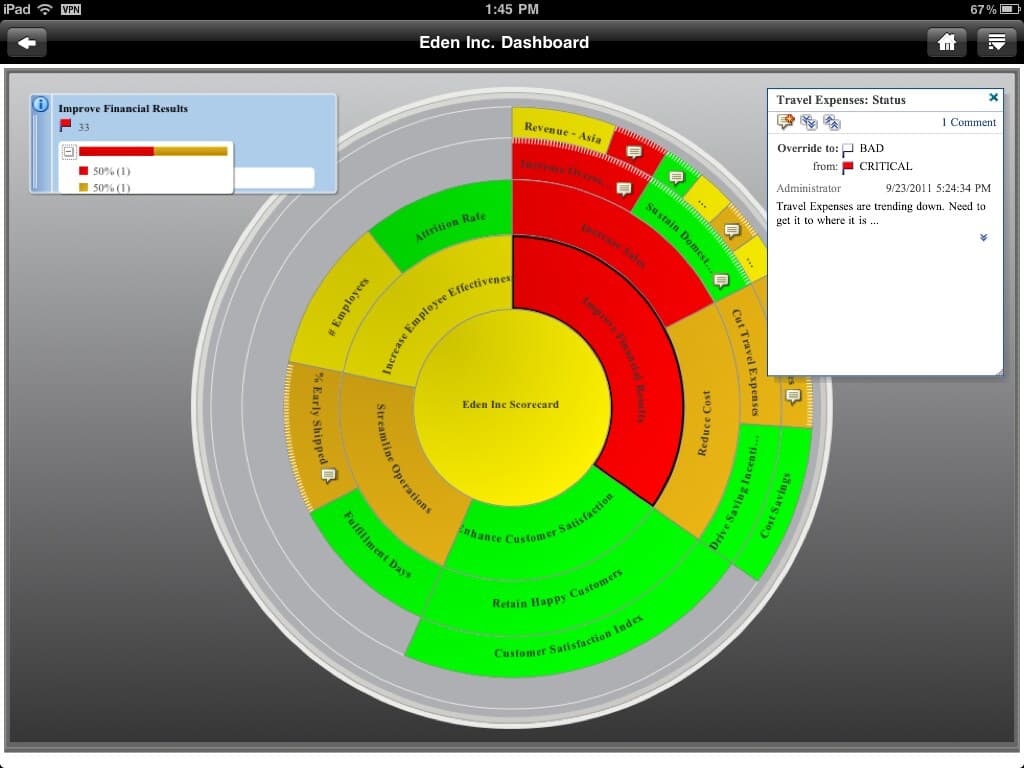
- Reporting and forecasting: dashboards that show pipeline value, win rates, response times, and revenue trends.
- Service and support: ticketing and case history so support agents resolve issues faster with full context.
How does a CRM system work?
A CRM works by becoming the single source of truth for customer data. Information flows in from many channels, gets organized around the customer record, and then powers automations and reports. The cycle usually looks like this:
- Capture: leads enter from web forms, ads, email, chat, phone calls, or imported lists, and become contact records.
- Organize: the system links each interaction, purchase, and note to the right person and company so the history is complete.
- Act: reps work deals through pipeline stages while automations trigger reminders, emails, and handoffs at the right moment.
- Analyze: managers use dashboards to see what is converting, where deals stall, and which campaigns pay off.
- Improve: those insights feed back into better targeting, messaging, and process, closing the loop.
What are the types of CRM?
CRMs are usually grouped into three classic categories, though most modern platforms blend all three. Understanding the split helps you match a tool to your priority.
- Operational CRM: automates the day-to-day work of sales, marketing, and service such as pipelines, email sequences, and ticketing. This is what most small and mid-sized teams mean by "a CRM."
- Analytical CRM: focuses on mining your customer data for patterns, segmentation, forecasting, and lifetime-value insight to guide strategy.
- Collaborative CRM: emphasizes sharing one customer view across departments so marketing, sales, and support are never working from stale or conflicting information.
What are the benefits of using a CRM?
The payoff is less about software and more about what stops falling through the cracks. Teams that adopt a CRM consistently report the following gains:
- Fewer lost leads, because every inquiry is captured and assigned instead of buried in an inbox.
- Faster, more personalized responses, since anyone can see a customer's full history in seconds.
- Better forecasting, because pipeline data is real rather than guessed.
- Less manual busywork, as automation handles repetitive follow-ups and data entry.
- Stronger retention, since the system flags renewals, check-ins, and at-risk accounts before they churn.
- Aligned teams, because sales, marketing, and support share one record instead of arguing over versions.
CRM vs a spreadsheet: do I really need one?
A spreadsheet can track contacts when you have a handful of them and one person managing everything. The trouble starts as you grow: spreadsheets do not log emails automatically, remind you to follow up, prevent two people overwriting each other, or show a live pipeline. A CRM is purpose-built for relationships over time, not just rows of data.
You probably need a CRM once you notice leads slipping through the cracks, reps asking "who is handling this account?", important context living only in one person's head, or you simply cannot answer how much revenue is in your pipeline this month. If those sound familiar, the spreadsheet has hit its ceiling.
How much does a CRM cost?
Pricing varies widely, and the model matters as much as the number. Many leading tools, including HubSpot and Salesforce, offer a free plan or free trial for small teams, with paid plans commonly starting around $9 to $25 per user per month and rising with features and seat count.
Two things drive the real cost. The first is per-seat pricing, which can balloon as your team grows. The second is add-ons: paying separately for marketing, support, automation, or AI features that you assumed were included. This is why flat-rate, all-in-one platforms have grown popular. MapleConnect, for example, bundles CRM with AI chatbot, SMS, email, and online booking on flat monthly pricing with free guided migration, so cost does not scale painfully with headcount. Whatever you choose, total the add-ons before comparing sticker prices.
How does AI change what a CRM can do?
AI has moved from a buzzword to a core part of modern CRMs. Rather than just storing data, AI-native systems act on it. Practical, available-today uses include:
- Lead scoring that ranks prospects by how likely they are to convert.
- Draft emails and replies generated from the contact's history.
- AI chatbots and voice agents that answer common questions and book appointments around the clock.
- Summaries of long call and email threads so reps get context in seconds.
- Predictive forecasting that flags deals likely to slip before they do.
How do I choose the right CRM?
The best CRM is the one your team will actually use. Skip the longest feature list and weigh these factors instead:
- Match it to your core process first, whether that is sales pipeline, support tickets, or marketing campaigns.
- Check total cost, including per-seat fees and any add-ons for automation, email, or AI.
- Test the learning curve with a free trial and your own real data before committing.
- Confirm it integrates with the tools you already rely on, like email, calendar, and accounting.
- Plan the migration: ask whether the vendor helps import and set up your data, which saves weeks of pain.
- Make sure it can grow with you so you are not re-platforming in a year.
Frequently Asked Questions
What does CRM stand for?
CRM stands for customer relationship management. It refers both to the broad strategy of managing how a business interacts with customers and, more commonly, to the software system used to store contacts, track deals, log interactions, and automate follow-ups across sales, marketing, and support teams.
Is Microsoft Excel or Word a CRM?
Not really. You can track basic contacts in Excel, but it lacks core CRM features like automatic email logging, follow-up reminders, pipeline views, multi-user safeguards, and reporting. Word is even less suited. Microsoft Office can be stretched into a makeshift system, but it has no built-in CRM data model, workflows, or scalability.
Is Salesforce a CRM?
Yes. Salesforce is one of the most widely used CRM platforms in the world, offering sales, service, marketing, and commerce tools. SAP, Oracle, HubSpot, Zoho, and Microsoft Dynamics 365 are also major CRM providers. Each varies in price, complexity, and how much is included versus sold as add-ons.
What is a CRM used for in business?
Businesses use a CRM to keep every customer interaction in one place, manage sales pipelines, automate follow-ups and marketing, resolve support tickets faster, and report on revenue. The aim is to avoid lost leads, deliver more personalized service, and give teams a shared, accurate view of every customer.
Do small businesses need a CRM?
Most do once they pass a handful of customers. If leads slip through the cracks, follow-ups get forgotten, or customer context lives only in one person's head, a CRM helps. Many platforms offer free or low-cost plans, so small teams can start simple and add features as they grow.
Keep reading